


Yesterday, I received what appeared to be an internal HR announcement about updated company policies for 2026.
At first glance, the email appeared somewhat legitimate. It passed every authentication check Google runs, appeared in an existing business conversation thread, and used professional formatting that mimicked Microsoft Teams notifications.
I wasn’t tricked into clicking a bad link. Instead, I spent the next couple of hours reverse engineering the attack infrastructure. What I found was a professionally operated phishing campaign:
A throwaway email account on a conservative-branded email service ($33/year, no verification required)
A compromised router in Cape Town, South Africa routing the attack traffic
The same infrastructure targeting at least three other organizations across multiple countries
A Phishing-as-a-Service platform called Tycoon 2FA with tens of thousands of documented incidents
Multi-national infrastructure spanning Russia, South Africa, the United States, and Croatia
Here are a few things we can learn from taking apart a single phishing email.
How I Spotted It
The email appeared to be from Human |Resourcesgeneral <humanresources@reagan.com>.
The subject line read: “New policy documents have been posted. Please review the updated Employee Agreement and Workbook for 2026.REF#09098”.
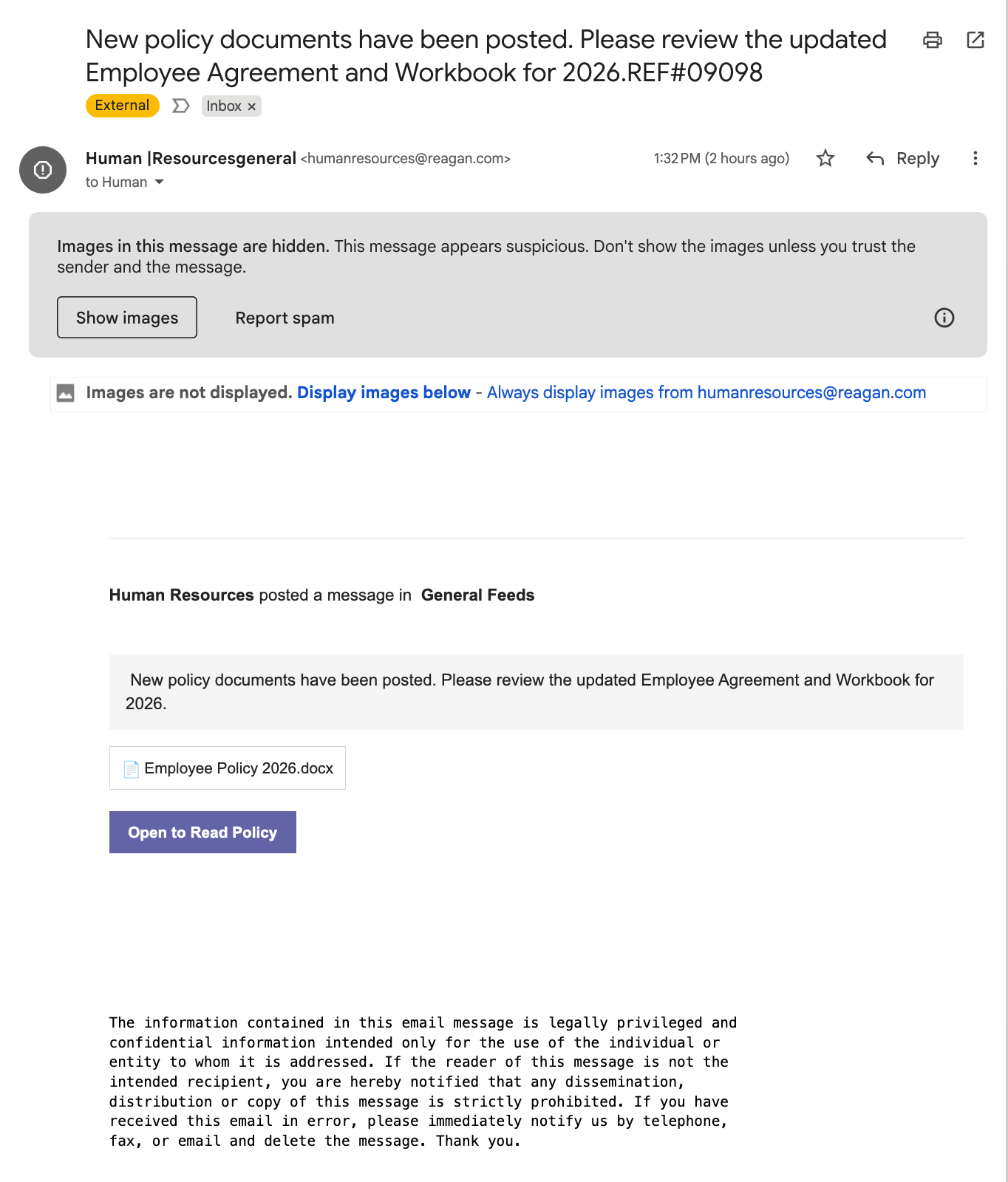
Because I did not click the Gmail button to “Show images” above the email body, the content is not visually formatted in the manner the attacker intended.
💡 Generally speaking, you should avoid clicking “Show images” in spam or phishing emails, because image loading in emails is a common phishing technique that can leak your email address to attacker-controlled servers.
This helps provide a glimpse of your Internet activity and confirms to the cybercriminal that your email is active and monitored by a real person. This is a process called “email validation” that increases the likelihood your address will be targeted in future campaigns.
Depending on your email client, you may also inadvertently reveal your IP address in the process, giving attackers additional data for targeting and geolocation. However, that particular technique doesn’t work in Gmail or Google Workspace because Google’s infrastructure loads all images through their own proxy servers, stripping away your real IP address and preventing attackers from confirming email validity or collecting device information via tracking pixels).
Importance Marker Applied
Google automatically marked the email as “Important” without my intervention based on its interpretation of the contents.
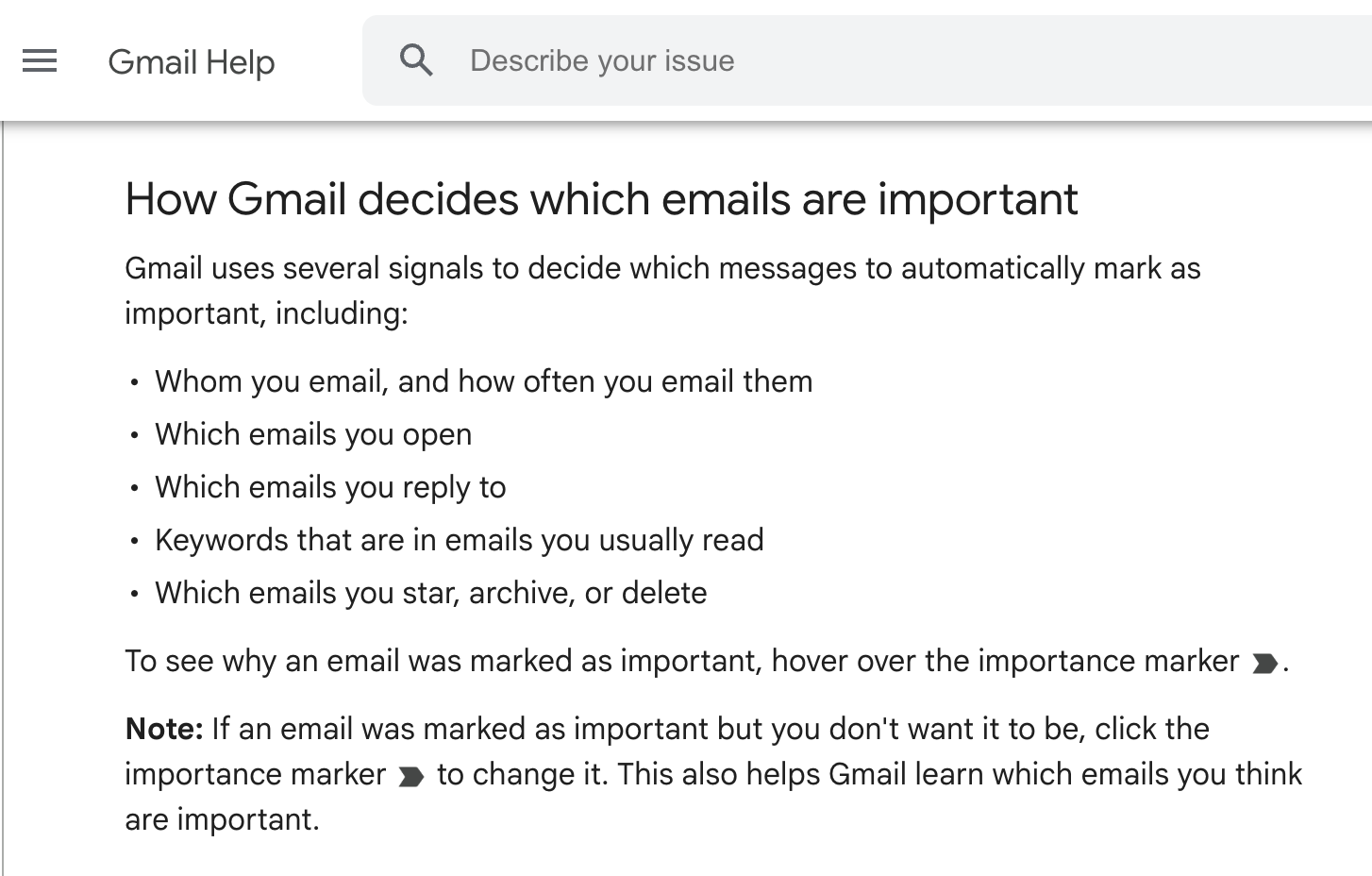
I unmarked the email to help ensure Gmail will learn not to do that again in the future, but there is also a way to change your importance marker settings to prevent Gmail from using your “past actions to predict which messages are important”.
What Looked Wrong?
I have manually analyzed many phishing emails over the course of my career. Because of this, three things immediately felt wrong:
First, the timing was convenient. The date was January 20, 2026. Annual policy updates are expected this time of year. The social engineering was textbook: invoke authority (HR department), create urgency (new policies require review), add legitimacy (“reference number REF#09098”).
Second, the sender was suspicious. The email appeared to come from one account, but when I examined it more closely, the actual sending account was a different address entirely, belonging to a person I don't know and who doesn't work with me.
Third, the call-to-action was wrong. The email showed a file icon (📄 Employee Policy 2026.docx) but included no actual attachment. Instead, there was a button: “Open to Read Policy.” That button contained a URL to mail.notifyvisitors.com (an email marketing platform) with a 576-character Base64-encoded parameter obscuring the final destination.
First Bypass Technique: Email Authentication
My Google account has Advanced Protection Program enabled.
This is Google’s strongest security tier designed for high-risk users like journalists, campaign staffers, and business executives. It’s supposed to catch sophisticated phishing, and anecdotally does a fantastic job 95%+ of the time.
This particular email sailed right through.
I pulled the full email headers (technical information inside) to understand why. Here’s what Google’s authentication system saw:
SPF: PASS (173.203.187.109 designated as permitted sender for reagan.com)
DKIM: PASS (cryptographic signature valid for @reagan.com)
DMARC: PASS (sender alignment verified)
Every single check passed. Gmail didn’t seem to think this was a spoofed (faked) email. Was it?
What is Reagan.com?
Reagan.com markets itself as a “private email” service emphasizing conservative American values and privacy.
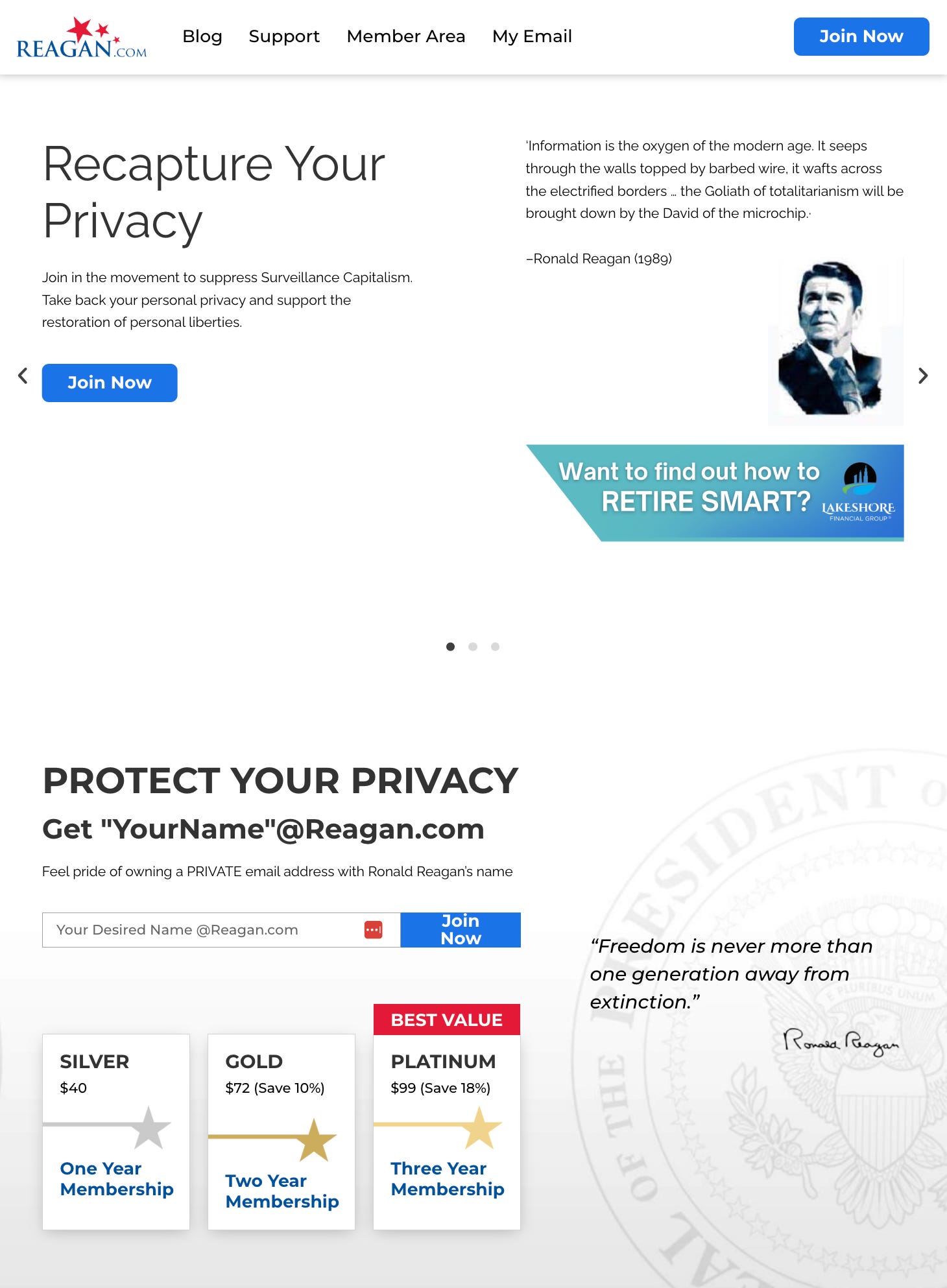
For $40 to $99 per year, anyone can register an email address like financedepartment@reagan.com with no identity verification required.
The “Ronald Reagan” Attack
When the email arrived in my Gmail inbox, it displayed as coming from humanresources@reagan.com. The subject line, timing, and sender all appeared vaguely legitimate.
Only when I examined the email headers did the attack become clear.
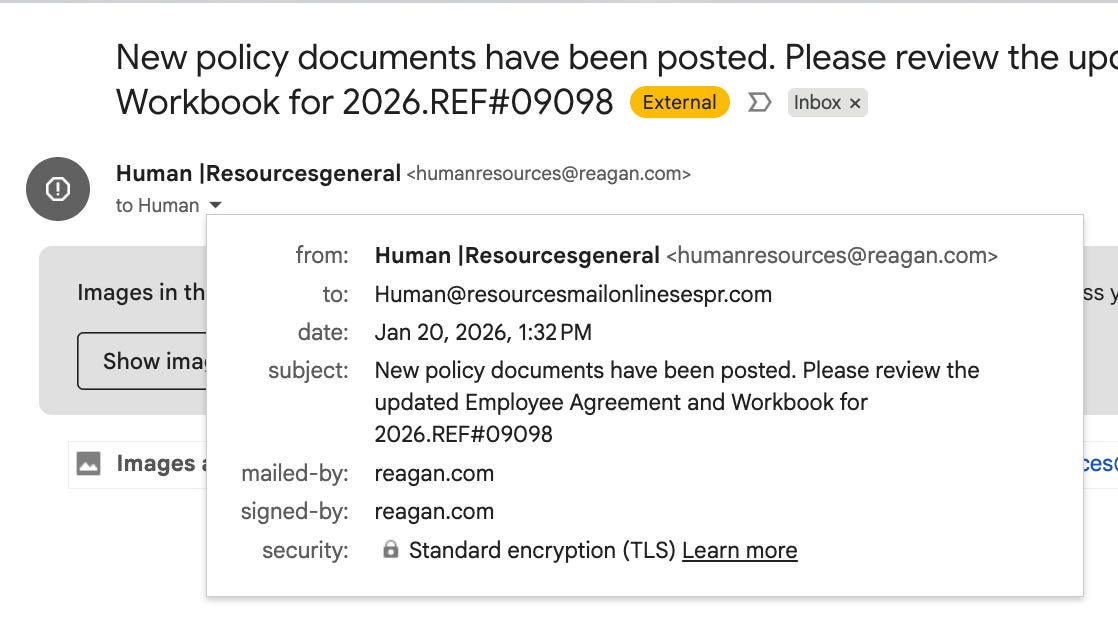
The attacker logged into a legitimate berrelli@reagan.com account and manually forged the From: header field to impersonate humanresources@reagan.com.
The email’s To: field listed Human@resourcesmailonlinesespr.com. This is a domain name that, upon investigation, does not exist in any registrar, DNS system, or search engine. This is not an oversight or typo; it’s a deliberate design choice by the attacker.
The To: field address serves a purely social engineering function here.
When victims receive this email, seeing it addressed to a plausible-sounding HR domain reinforces the illusion of legitimacy. But the address was never meant to receive email. Instead, stolen credentials are collected through a different mechanism: the Adversary-in-the-Middle proxy infrastructure hidden behind the NotifyVisitors redirect chain.
Received: by webmail.reagan.com
(Authenticated sender: berrelli@reagan.com, from: humanresources@reagan.com)

X-Auth-ID: berrelli@reagan.com
From: “Human Resources general” humanresources@reagan.com
The authenticated sender is the person who actually owns and logged into the account. The From: is what users see. These should match, but Reagan.com allows their senders to set the From: field to any address they choose.
Google’s SPF check validated that berrelli@reagan.com is authorized to send email from reagan.com, which is true. The DKIM signature cryptographically proves the email came from Reagan.com’s servers; also true. DMARC confirmed sender alignment; also correct, because the domain legitimately sent it. Every authentication protocol did exactly what it was designed to do. But none of them verify that the From: field matches the authenticated sender.
In Check Point’s original write-up, Gmail relied on an X-Sender-Id field. In this case, Reagan.com instead exposes X-Auth-ID to record the authenticated account, but the effect is identical: the authenticated sender differs from the forged From: address.
This is a gap in email protocol design that has existed for decades.
The attack pattern was documented by researcher Yoav Nathaniel at Check Point Research in 2018, who named it the “Ronald Reagan Attack” specifically because Reagan.com’s permissive webmail settings made it ideal infrastructure for this type of impersonation. Attackers would register inexpensive accounts, forge email headers to appear as HR departments or executives, and send thousands of phishing emails that passed every standard authentication check.
Most email providers implement controls to prevent this, either by limiting which addresses users can send from or by appending disclaimers when the From: doesn’t match the authenticated account. Reagan.com has apparently chosen not to implement such controls, making their infrastructure attractive to attackers and problematic for users who receive emails that appear to come from addresses they don’t recognize but still pass all technical validation checks.
My instinct was to check if berrelli@reagan.com was a compromised account from a public breach. I searched HaveIBeenPwned, the definitive database of breached credentials founded by Troy Hunt, and found nothing there or on Google either, which is somewhat unusual for a typical email account used over a period of time.
This suggested one of three possibilities: the account was created recently (within days) specifically for this campaign, it was compromised via targeted phishing rather than a public data breach, or it’s a throwaway account used for a limited campaign and then abandoned.
Bottom Line: The attacker controlled a real email account with valid authentication, so the email got through.
Second Bypass Technique: Thread Hijacking
The email didn’t arrive standalone. It appeared as a reply in what appeared to be an existing conversation about Kinetic GPO membership, Saskatchewan Health Authority procurement policies, and Los Angeles Department of Building and Safety regulations.
This technique is called “thread hijacking,” and it’s becoming the gold standard for bypassing email security.
In our case, an attacker has possibly compromised a third-party email account that had access to a business conversation thread, and has added that content to make their message appear as a eal reply to an existing thread.
By injecting their phishing payload at the top of a long, legitimate business discussion, the attacker attempts to exploit three psychological vulnerabilities:
Trust in context: There were other legitimate-looking participants in the thread (real organizations)
Cognitive overload: Scrolling through various legitimate messages could make the single malicious one at the top seem plausible
Authority reinforcement: The thread discussed HR policies and organizational procedures, making the fake HR announcement seem contextually appropriate
The British security firm Darktrace published research on thread hijacking on January 14, just six days before I received the email. They documented how attackers create mailbox rules that forward responses to hidden archive folders, allowing them to monitor conversations without the compromised account owner noticing.
The technique has proven effective because it defeats one of the primary ways people identify phishing: checking to see if the email “fits” the conversation.
Third Bypass Technique: Teams Interface Mimicry
The email’s visual design appears crafted to resemble a Microsoft Teams channel notification:
The button color (#6264a7) is the exact purple used in Microsoft Teams
The text “Human Resources posted a message in General Feeds” mimics Teams channel syntax
The grey message box matches Teams’ visual design language
The file icon emoji (📄) adds visual authenticity
This wasn’t accidental. Abnormal Security documented near-identical HR policy phishing campaigns in November 2025, showing that attackers are systematically studying collaboration platform interfaces and replicating them in email.
The psychology is straightforward: people see the familiar Teams purple button and their brain pattern-matches to “legitimate company announcement.” The fact that it arrived via email instead of the Teams app itself gets lost in the visual noise.
Fourth Bypass Technique: The Tracking Link
The “Open to Read Policy” button linked to “mail.notifyvisitors.com”:
https://mail.notifyvisitors.com/tracker/email_tracker/handler/click/59300/1423?cd=aktPMUFtRXRLeXhOT3pUYzZJeEw1Y2ptMzBDSDJkYm1IWEdmNk5GVEFvVitXcUIyNzk4NkEwWE4zaFJWMWNNRjRIdFM2RTJaV2YvaHNxOVVTcVRETTdQdE9jazJFeG1LT2dYMDR4aThCeDlDTlZoc3VhSEw5Ymw4U1lhRE[...]This link *appears* to be a legitimate email tracking link, but in reality, the attacker has embedded a hidden phishing destination inside.
When you click a link in an email, you assume the domain you see is where you're going. But attackers exploit a loophole in how legitimate websites work: they use trusted companies' redirect functions to secretly send you somewhere dangerous.
NotifyVisitors is a legitimate email marketing platform used by thousands of businesses for campaign tracking and analytics. Email providers and network protection suites “whitelist” established services like NotifyVisitors, Mailchimp, and HubSpot because they send millions of legitimate emails daily, meaning phishing emails inherit that institutional trust.
Because of this, email authentication systems have a harder time distinguishing between legitimate emails from NotifyVisitors and phishing emails using NotifyVisitors infrastructure. Both come from the same real servers and may be able to pass all security checks. Users will see a professional domain and assume legitimacy without realizing it's a redirect to a phishing page.
For attackers, this is ideal: they pay for a cheap monthly subscription, send thousands of phishing emails through legitimate infrastructure, extract profit before the account is suspended, all without needing to build their own email servers or compromise major email providers. This pattern repeats across dozens of legitimate services: Mailchimp, Amazon SES, SendGrid, Google Forms, Bit.ly, and others have all been abused for phishing by actors violating their Terms of Service because they are designed to be trusted, useful, and legitimate.
It is also true that some companies fail to apply sufficient resources towards keeping their platforms safe in a manner that is commensurate to the scale of the problem.
Many of those would argue they do the best they can under difficult circumstances.
NotifyVisitors isn't just abused for its high reputation. Bad guys use it because it can generate tracking links with redirects.
To identify the final phishing destination hidden behind the Base64-encoded redirect chain, I used Unfurl, a free OSINT tool that automatically follows URL redirects and extracts metadata at each hop, easily revealing the complete attack infrastructure without requiring me to click the malicious link myself.
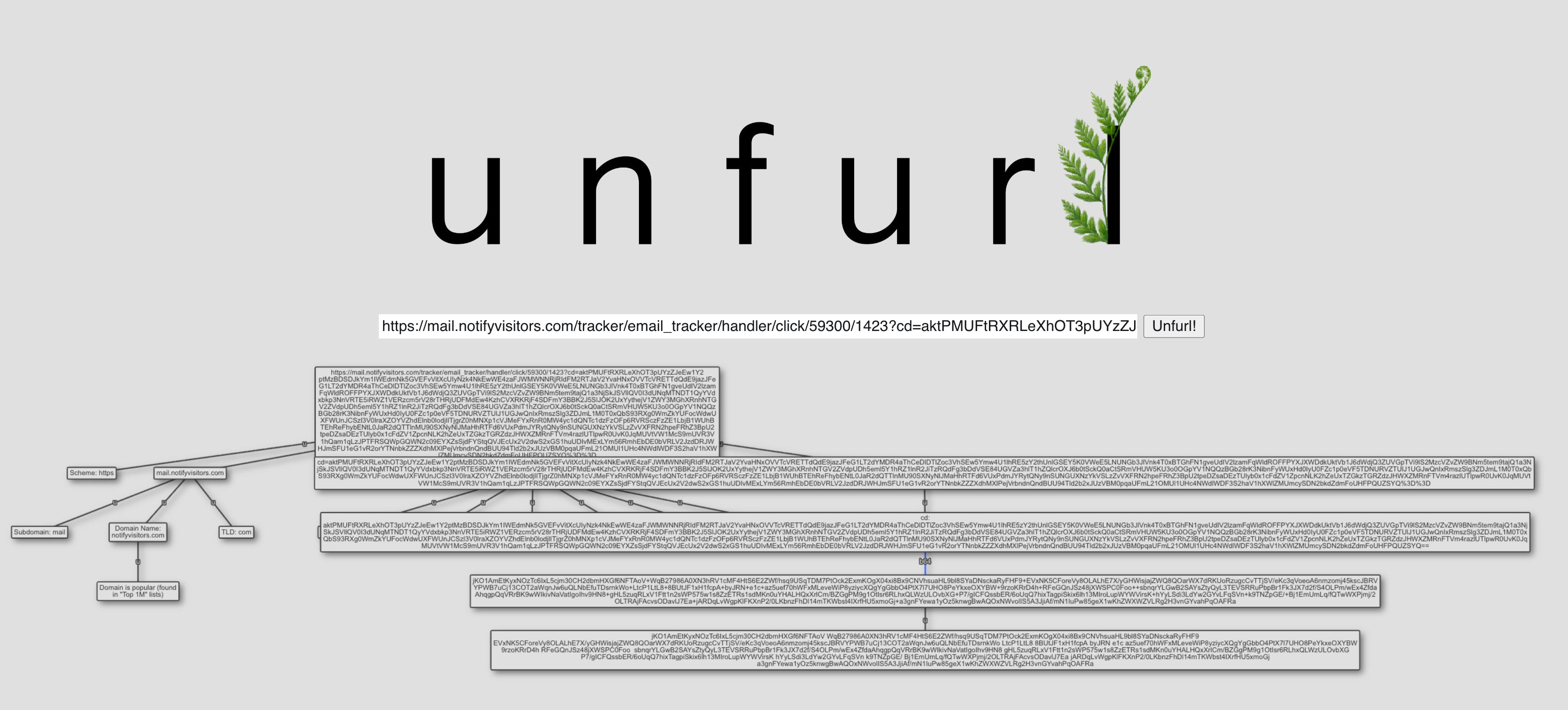
The URL structure breaks down like this:
Domain: mail.notifyvisitors.com (legitimate ESP subdomain)
Path: /tracker/email_tracker/handler/click/
Campaign ID: 59300
Tracking ID: 1423
Parameter: cd=[576 characters of Base64-encoded data]
That last cd parameter is the key. It contains a Base64-encoded redirect chain. This is a technique that helps obscure the final destination from email security scanners that had the opportunity to intercept the message before it arrived in my inbox.
Another way we can tell something is off is that legitimate NotifyVisitors tracking typically appends a nv_uid parameter for conversion tracking, but compromised campaigns replace legitimate redirects with multi-stage phishing chains.
When decoded, these types of parameters typically reveal multiple redirect hops:
First hop: Disposable domain (.icu, .xyz, .sbs, or similar low-reputation top level domain)
Second hop: Cloudflare Workers instance acting as a traffic filter
CAPTCHA challenge: Blocks automated security scanners while appearing legitimate to humans
Final destination: Reverse proxy server mimicking Google Workspace or Microsoft 365 login
This architecture is characteristic of Phishing-as-a-Service (PhaaS) platforms which are professionally operated services that rent attack infrastructure to cybercriminals.
What is Phishing-as-a-Service?
PhaaS works exactly like Netflix, Spotify, or any other subscription service, but instead of streaming movies, you're renting complete phishing attack infrastructure. You don't need coding skills, hacking knowledge, or technical infrastructure.
The PhaaS provider handles everything. You just pay, point it at your targets, and collect stolen credentials.
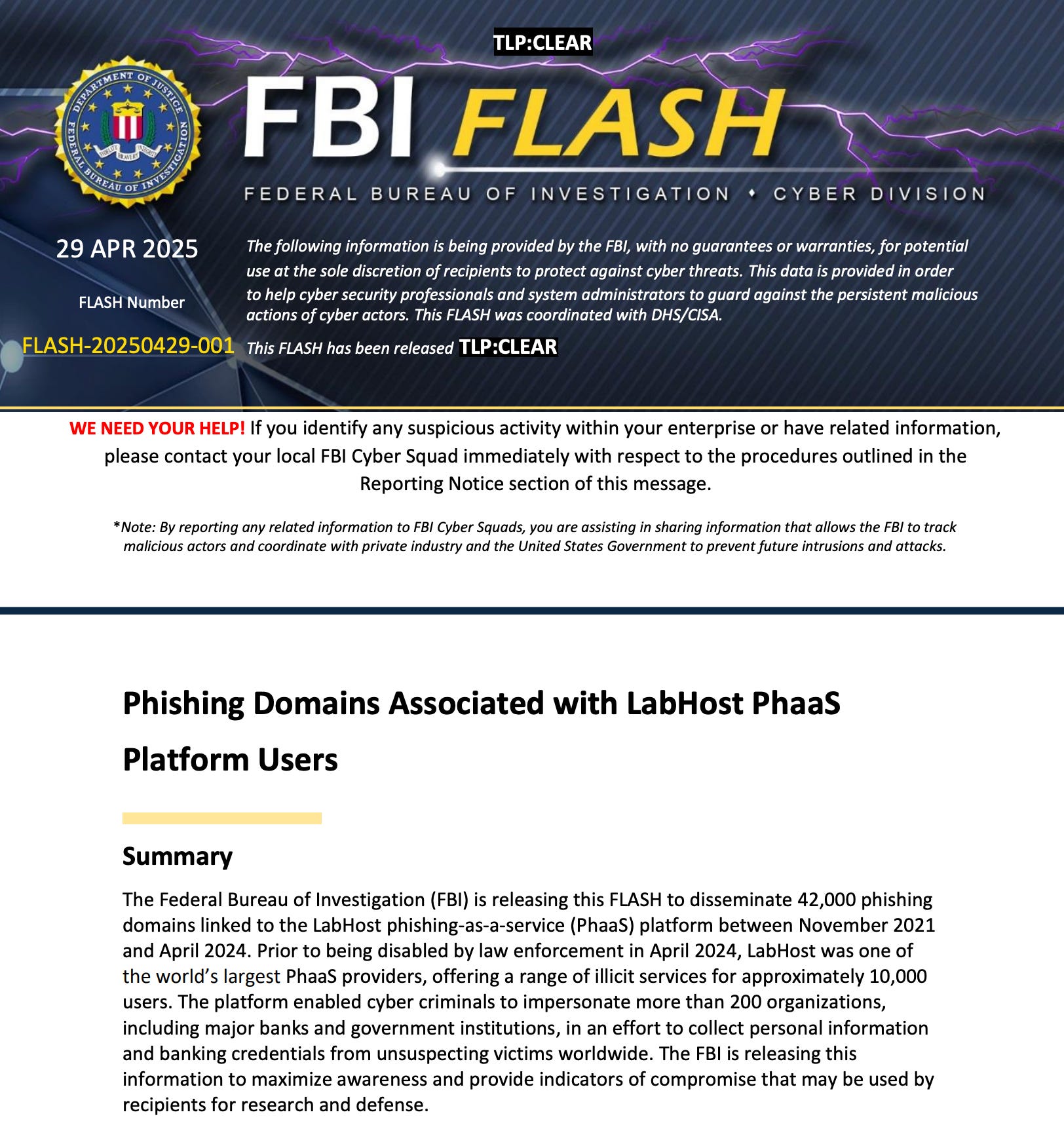
Tycoon 2FA: The PhaaS Behind the Attack
The email wasn’t an isolated attack. Multiple security researchers have detonated highly similar NotifyVisitors tracking URLs in public malware sandboxes.
An ANY.RUN analysis from February 17, 2025 explicitly tagged the infrastructure as Tycoon 2FA, a PhaaS platform designed to bypass multi-factor authentication on Microsoft 365 and Gmail accounts. Additional targets documented on ANY.RUN include Habi (Colombian real estate unicorn, March 26, 2025), Conde Nast (January 7, 2026), and Keyline Ltd (UK construction supplier, January 7, 2026). The titles of the above-named targets include Vice President of Finance, Finance Director, and Branch Manager. Their domains (habi.co, condenast.com, and keyline.co.uk) all use Google Workspace services.
The reports match on the NotifyVisitors infrastructure with the same HR policy lure and Base64-encoded redirect parameters.
This suggests attackers may be running large-scale operations targeting:
Western countries
Multiple industries
Teams with procurement/financial authority over large financial transactions
Cybereason documented Tycoon 2FA in December 2024, noting over 64,000 incidents. In January 2025, Barracuda reported the platform had been updated with enhanced evasion capabilities.
Microsoft Threat Intelligence tracks Tycoon 2FA as “Storm-1747” and reported in November 2025 that it was “the most prolific phishing-as-a-service platform observed by Microsoft” throughout 2025, with Microsoft Defender for Office 365 blocking more than 13 million malicious emails linked to the platform in October 2025 alone.


How AiTM works for credential theft
Traditional phishing sends you to a fake login page, captures your password, and that’s pretty much it, but modern PhaaS platforms use Adversary-in-the-Middle (AitM) techniques:
You enter credentials on the fake Microsoft login page
The attacker’s server relays those credentials to the real Microsoft server
Microsoft sends back an MFA challenge (SMS code, authenticator app prompt)
The fake page shows you the same MFA prompt
You complete MFA authentication
Microsoft issues a session cookie proving you authenticated successfully
The attacker captures that session cookie
The session cookie is the prize.
It remains valid for days or weeks, allowing the attacker to access your account even after you change your password. This is why standard MFA (SMS codes, authenticator apps, push notifications) provides zero protection against these attacks.
Only phishing-resistant authentication (hardware security keys using FIDO2/WebAuthn cryptographic verification) can prevent AitM credential theft. The authentication is cryptographically bound to the origin domain, so even if you try to authenticate on the phishing site, your security key detects the domain mismatch and refuses.
The Intelligence Agency Angle
PhaaS platforms like Tycoon 2FA don’t just enable cybercriminals. They also provide plausible deniability for nation-state actors.
Intelligence agencies and Advanced Persistent Threat (APT) groups increasingly use commodity tools and commercial phishing infrastructure alongside custom malware, a trend documented extensively with tools like Cobalt Strike (which saw 161% increased use by cybercrime actors between 2019-2020.
By routing operations through the same PhaaS platforms, compromised routers, and email marketing services used by common cybercriminals, state-sponsored groups can “blend in with the crowd,” making attribution nearly impossible.
When a phishing email originates from a South African compromised router, routes through a US marketing platform (NotifyVisitors), and uses Russian hosting infrastructure, investigators face the attribution problem; determining whether the attack came from organized crime, a lone hacker, or a nation-state intelligence service.
North Korea’s Lazarus Group exemplifies this convergence: the same APT group conducts both state-sponsored espionage and financially motivated cybercrime (with a focus on cryptocurrency theft to fund weapons programs under international sanctions), while using commercial tools and infrastructure that are often indistinguishable from typical cybercrime.
For intelligence agencies, PhaaS platforms reduce operational costs, provide ready-made infrastructure, and most importantly, create ambiguity. Every phishing attack could be criminal fraud, or it could be espionage.
The operational security benefit is immense: if caught, the attacker appears to be just another cybercriminal using rented infrastructure rather than a state intelligence operative.
Fifth Bypass Technique: The Compromised Router
When I examined the email headers more closely, I found something unexpected.
x-client-ip: 165.0.0.143This is the IP address where the email was actually composed and sent from (not the mail server, but the device the attacker used to access the Reagan.com webmail interface).
I ran the IP through Shodan, a search engine that indexes internet-connected devices, and widened my search to match similar systems. The results were both alarming and devastatingly common, revealing thousands of vulnerable systems.
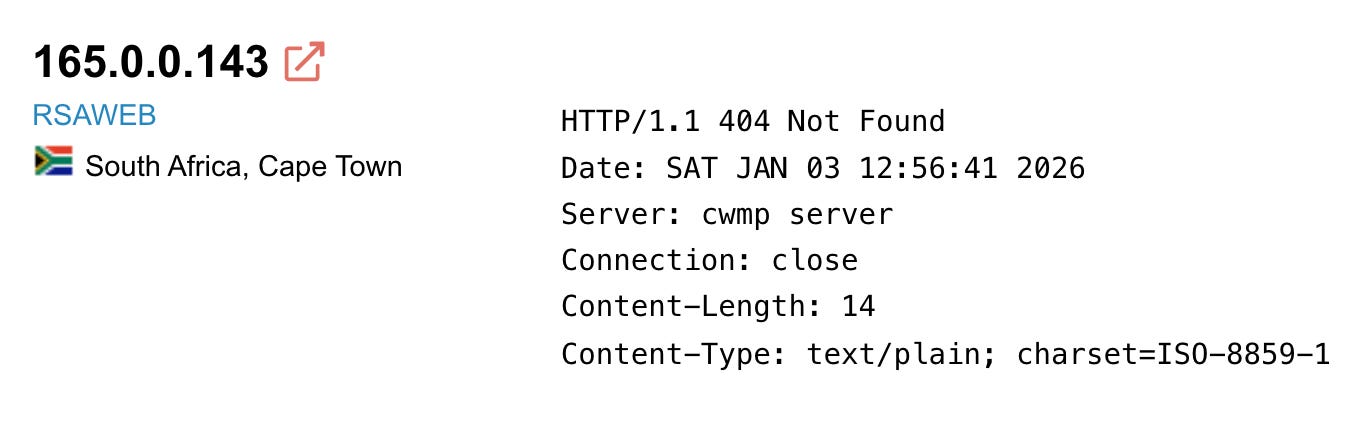
These appear to be home or business routers with TR-069 exposed to the public internet, which is a protocol (CPE WAN Management Protocol, or CWMP) that Internet Service Providers use to remotely manage customer routers and perform necessary functions such as updating firmware, changing settings, and troubleshooting issues.
A correctly configured server will demand authentication *before* processing any HTTP request, and will respond with an HTTP 401 Unauthorized and a challenge for credentials. If an unauthenticated scanner like Shodan receives HTTP 404 Not Found instead, it means the server processed the request without authentication, routed it through its application logic, and determined the requested path didn't exist, proving authentication was bypassed entirely.
This service should never be accessible from the public internet.
Why? Well, once an attacker confirms the router responds to unauthenticated HTTP requests, they can probe for known vulnerabilities and exploit Remote Code Execution flaws to take complete control of the device.
📌 The Mirai botnet famously used TR-069 exploits to compromise hundreds of thousands of routers in 2016, knocking Deutsche Telekom offline.
More recently, Chinese APT groups have used the Quad7 botnet (200,000+ compromised routers) for Microsoft 365 password spraying campaigns.
The threat actor didn’t send this phishing email from their own computer or a VPN. They routed it through a compromised router in South Africa which is possibly owned by some innocent RSAWEB customer who has no idea their internet connection is being used for international cybercrime.
This adds three layers of operational security for the attacker:
IP diversity: Thousands of residential IPs instead of a few datacenter IPs that trigger spam filters
Geographic misdirection: The attack appears to originate from South Africa when the attacker could be anywhere
Legal deniability: If traced, investigators initially find an innocent router owner in Cape Town, not the actual culprit
Sixth Bypass Technique: Scale of the Infrastructure
The most concerning finding came when I investigated whether the South African router compromise was an isolated incident.
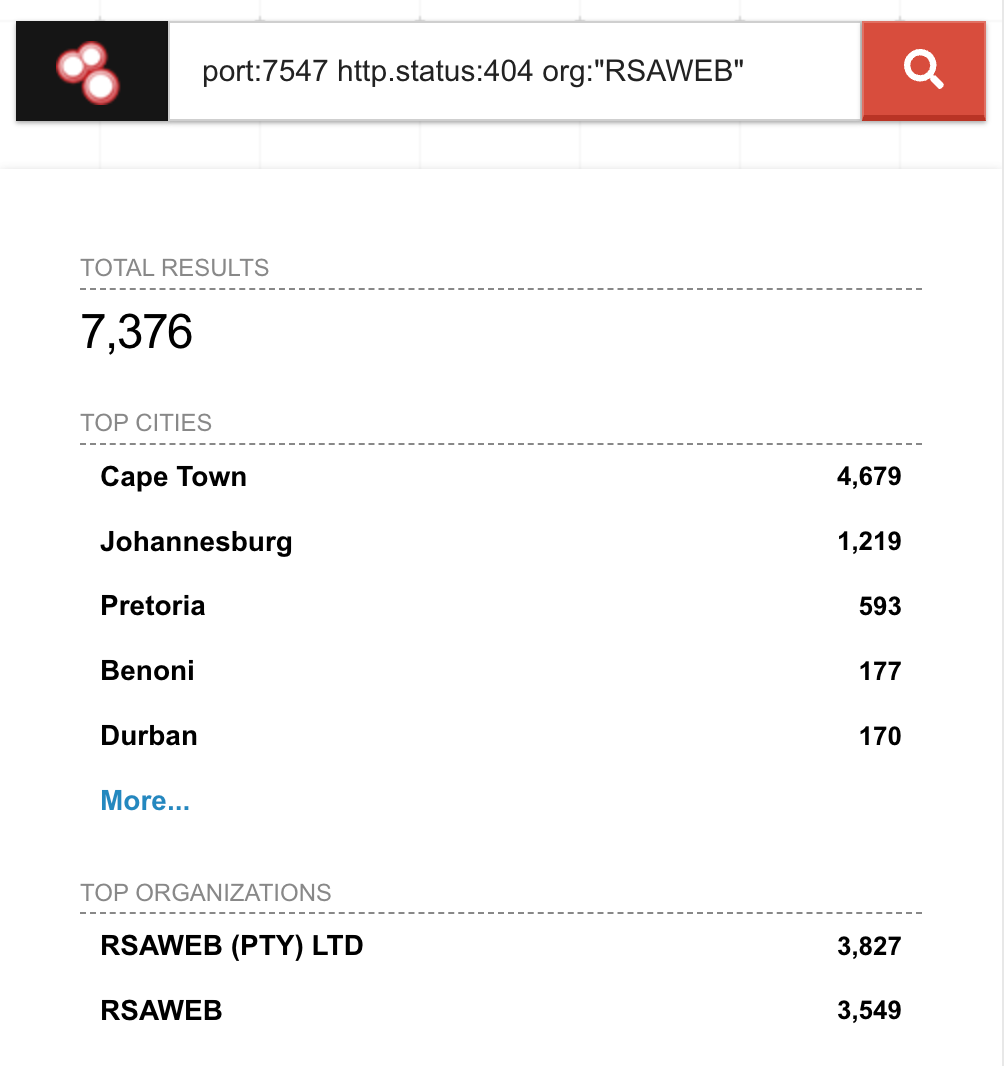
I ran a Shodan query for all RSAWEB customer IP addresses with port 7547 exposed:
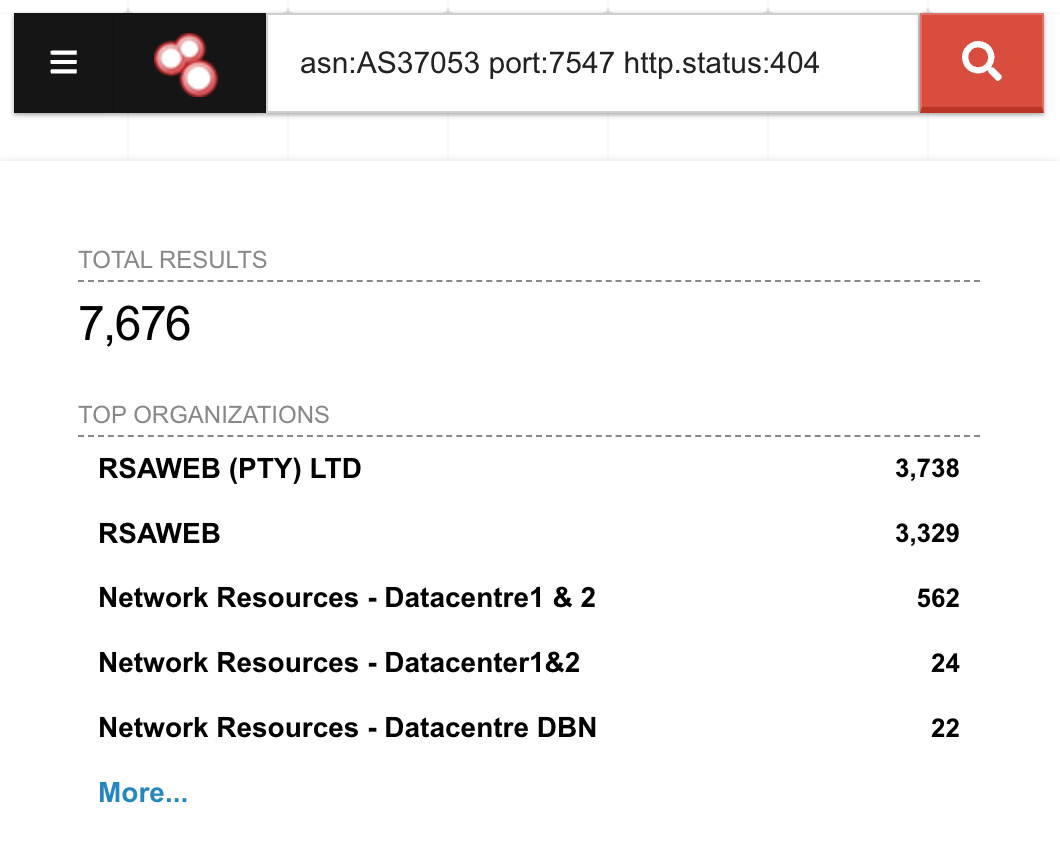
Results: 7,676 vulnerable RSAWEB devices in South Africa are completely unauthenticated and accessible to anyone who connects.
For context, when Virgin Media had a similar TR-069 exposure in October 2020, Shodan indexed 800,000 vulnerable routers out of their 5.6 million UK customers (about 14% of their customer base).
RSAWEB is a mid-sized South African ISP with an estimated 50,000 to 200,000 customers. If 7,676 routers are exposed, that represents 3% to 15% of their entire customer base. This is a systemic security failure, not isolated compromises.
Each of these routers can be exploited for:
Botnet recruitment: DDoS attacks, spam campaigns, cryptocurrency mining
Phishing infrastructure: Email send proxies (like the one used to target me)
Traffic interception: All unencrypted data passing through the router is visible to the attacker
Lateral movement: Compromising devices on the home/business network behind the router
A Shodan search for the open port and vulnerable status shows 123,315 vulnerable devices exposed to the Internet, with the vast majority of devices located in Russia, Brazil, Ukraine, Belarus, and Taiwan.
port:7547 http.status:404 “cwmp”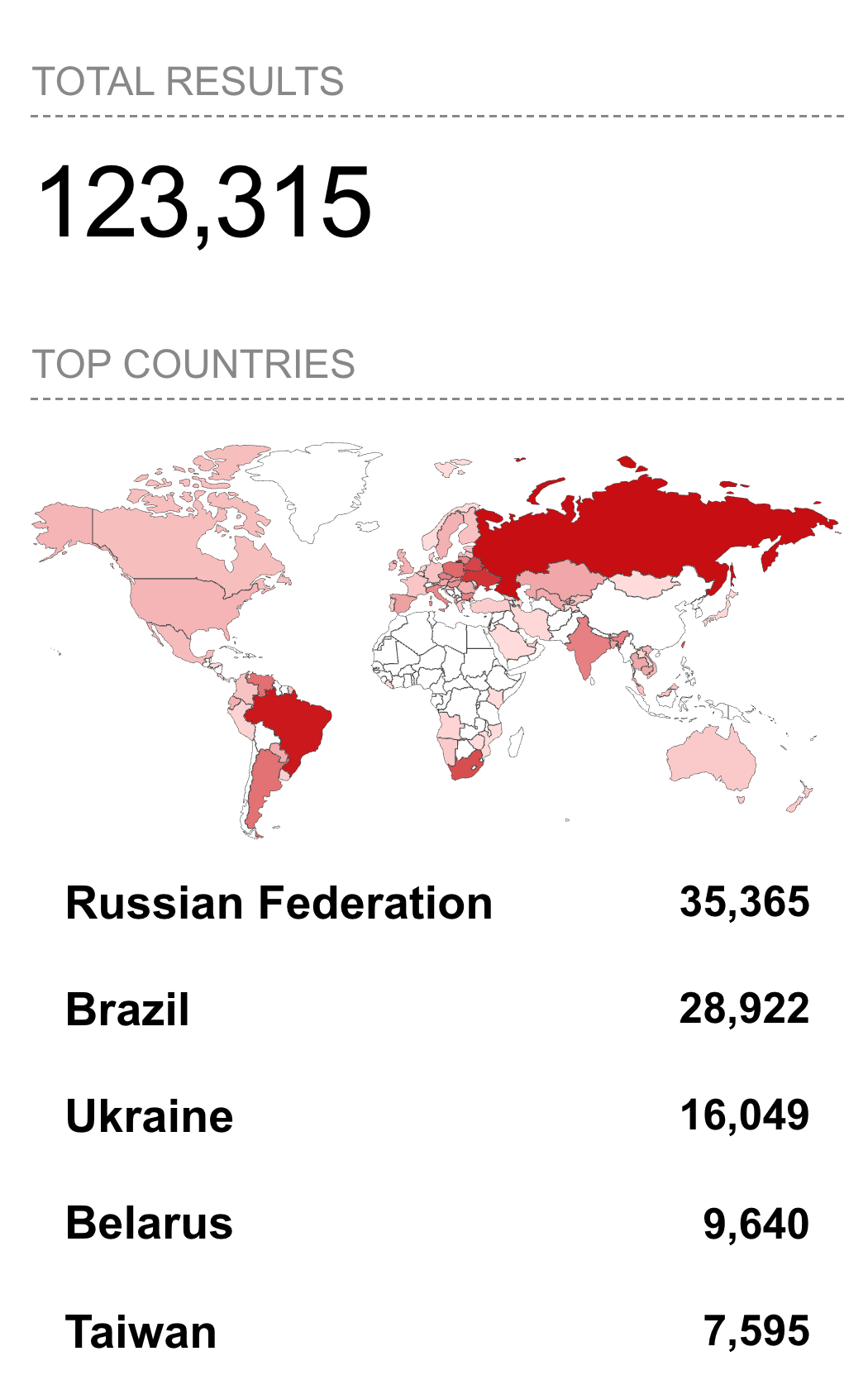
Widening the Shodan search to remove the “cwmp” server string and searching on port and http status alone widens the results to 8.2 million records, with the majority of potentially-vulnerable systems located in the United States, Russia, and Australia.
port:7547 http.status:404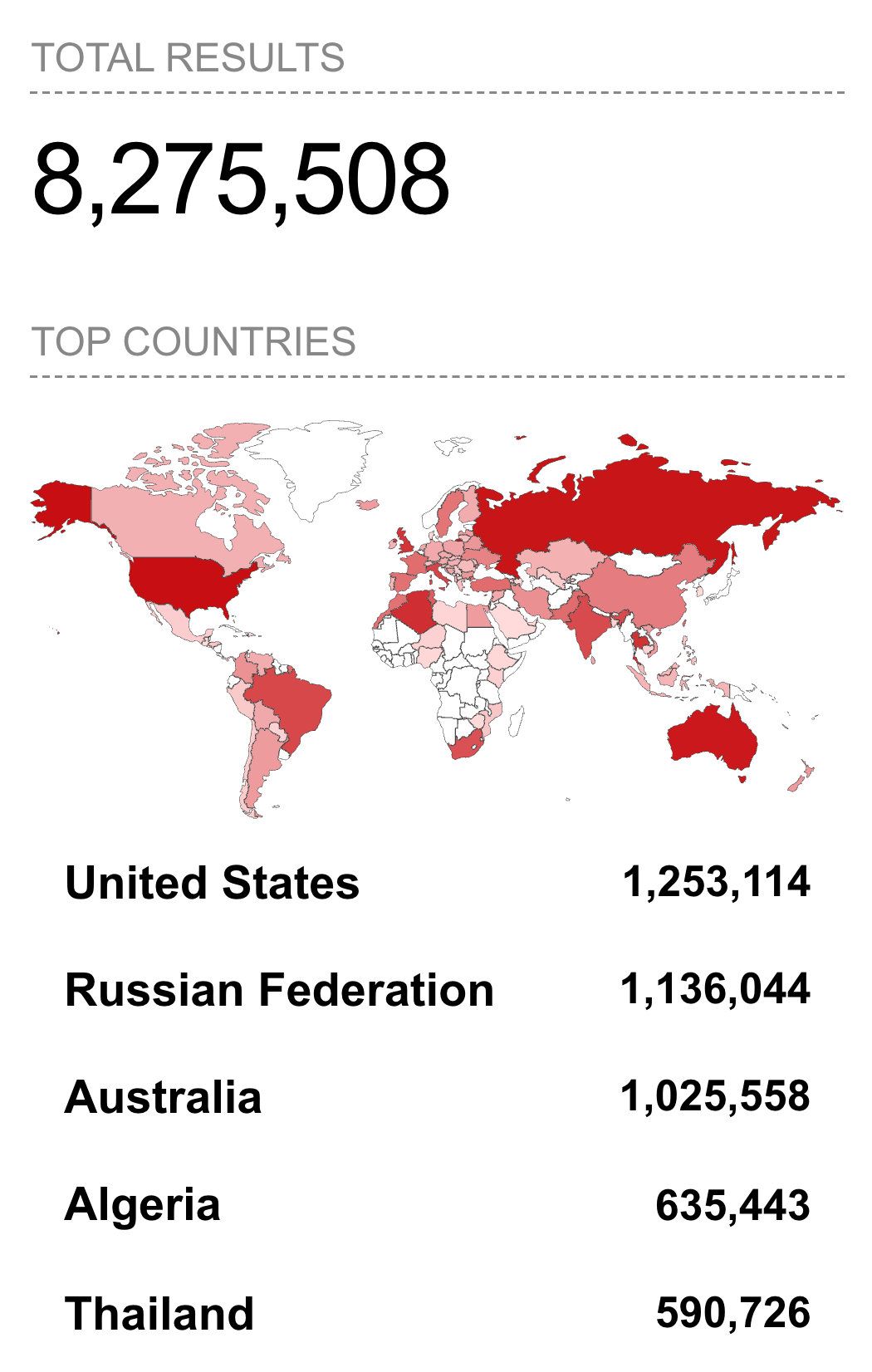
How Google APP Missed This One
Google’s Advanced Protection Program is supposed to represent the state of the art in email security. It’s designed for high-risk users who face targeted attacks: journalists, campaign staffers, activists, business executives.
This email bypassed it completely. The reason why might be lost somewhere within the following layers of “swiss cheese”:
1. Perfect Authentication (By Design)
Advanced Protection can’t distinguish between a legitimate Reagan.com user and an attacker who registered a throwaway Reagan.com account. Both pass SPF, DKIM, and DMARC because both are using the same legitimate infrastructure.
The authentication protocols verify identity (this email came from reagan.com), but they cannot verify intent (this email was sent for malicious purposes).
2. Content Legitimacy (Machine Learning Poisoning)
The email contained 95% legitimate business correspondence: real quotes from Kinetic GPO, Saskatchewan Health Authority, and Los Angeles Department of Building and Safety.
Only 5% was the malicious payload at the top. Therefore, Google’s machine learning models might have calculated something like this:
Risk Score = malicious_indicators / total_content_signals
           = 1 suspicious link / 50+ legitimate content elements
           = LOW RISK → DELIVER
The massive HTML padding (hundreds of blank and unnecessary tags, white space, useless content, and email signatures) was specifically designed to dilute the suspicious indicators and fool ML-based detection.
3. No Domain Spoofing (Expected External Email)
Advanced Protection aggressively flags emails that spoof internal domains or impersonate specific individuals. But this email came from Reagan.com (an external domain) and didn’t claim to be from anyone in my organization.
It appeared in an existing thread with external participants, so Google’s systems correctly categorized it as “expected external correspondence” rather than “suspicious impersonation attempt.”
However, as I flagged earlier in this report, Gmail also independently decided to upgrade the email’s visibility in my inbox by tagging it with an “Important” importance marker.
4. High-Reputation Link Dilution
The email thread contained legitimate links to:
eventbrite.com and eventbrite.ca (calendar scheduling)
kineticgpo.ca (procurement organization)
ladbs.org (LA Department of Building and Safety)
dbs.lacity.gov (Los Angeles city government)
These high-reputation domains helped to drown out the single suspicious NotifyVisitors link in the risk calculation.
5. No Attachment-Based Malware
Advanced Protection includes aggressive attachment scanning (sandboxing suspicious files, blocking macros, flagging executables). But this attack had no attachments. Just a link, and not even a link to an obviously malicious domain: a link to NotifyVisitors, a legitimate email marketing platform used by thousands of businesses.
5. Display name and Header Forgery
Gmail correctly validated that a legitimate Reagan.com account sent the email, but it displayed the forged From: header to the user, mirroring the “Ronald Reagan Attack” pattern documented by Check Point Research in which authentication passes while the visible sender is silently impersonated.
How To Protect Yourself
Report It Immediately
Folks who aren’t cybersecurity analysts can use the three-dot menu once a Gmail message is open to “Report phishing”. This will move the email to your Spam folder, limit your ability to load images, and alert Google Threat Intelligence to help protect other Internet users.
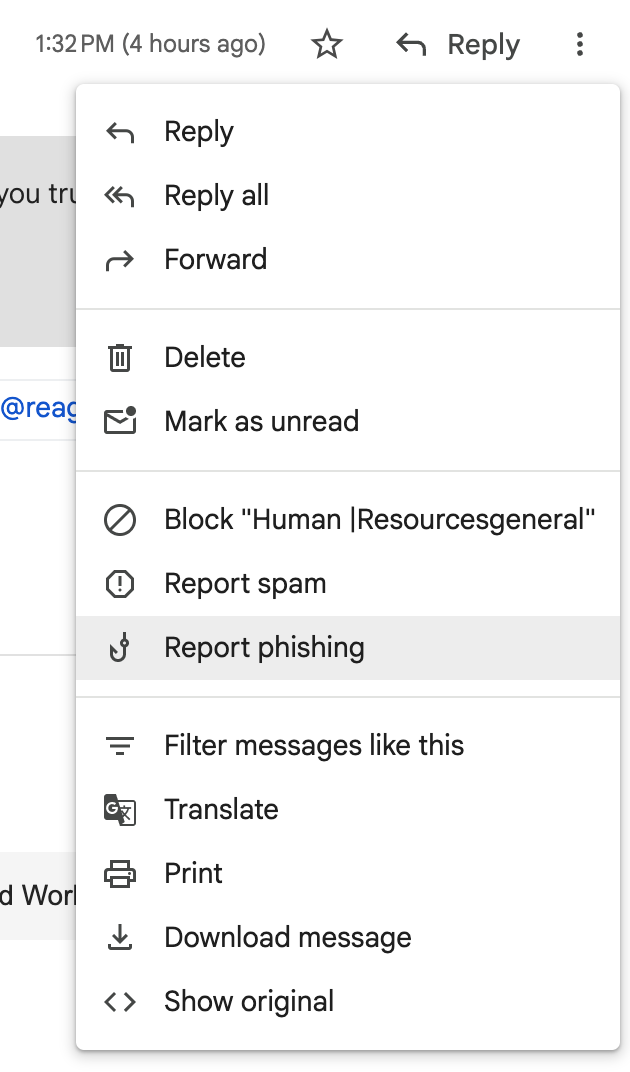
Besides Google, other email providers like Microsoft, Apple Mail, Yahoo Mail, ProtonMail, etc. have equivalent reporting capabilities built into their platforms.
Search “report phishing [service name]” to find the specific steps for your provider.
Spotting Thread Hijacking
Verify strange content via secondary channel: If an email appears in an existing thread but seems odd or off-topic, call the sender or message them on Signal/Teams/Slack to verify
Check for topic drift: Legitimate conversations evolve naturally, but phishing payloads sometimes introduce abrupt topic changes
Hover over all links before clicking: In today’s email, the display text says “Employee Policy 2026.docx” but the URL is mail.notifyvisitors.com
Watch for missing attachments: If an email references a file but provides only a link to “view” it, that’s a red flag!
Get a Hardware Security Key
If you use Gmail, Google Workspace, or any service supporting FIDO2/WebAuthn authentication, the single most effective defense against phishing is a hardware security key. These devices are small USB or USB-C authenticators that cryptographically verify you’re logging into the legitimate service, not a phishing replica.
The YubiKey 5C is one of the most popular options: it’s durable, widely compatible with major platforms (Google, Microsoft, GitHub, Apple, social media platforms, etc.), and costs less than $50. When you attempt to authenticate on a phishing site, your YubiKey detects the domain mismatch and refuses to complete the authentication, providing absolute protection against AitM attacks.
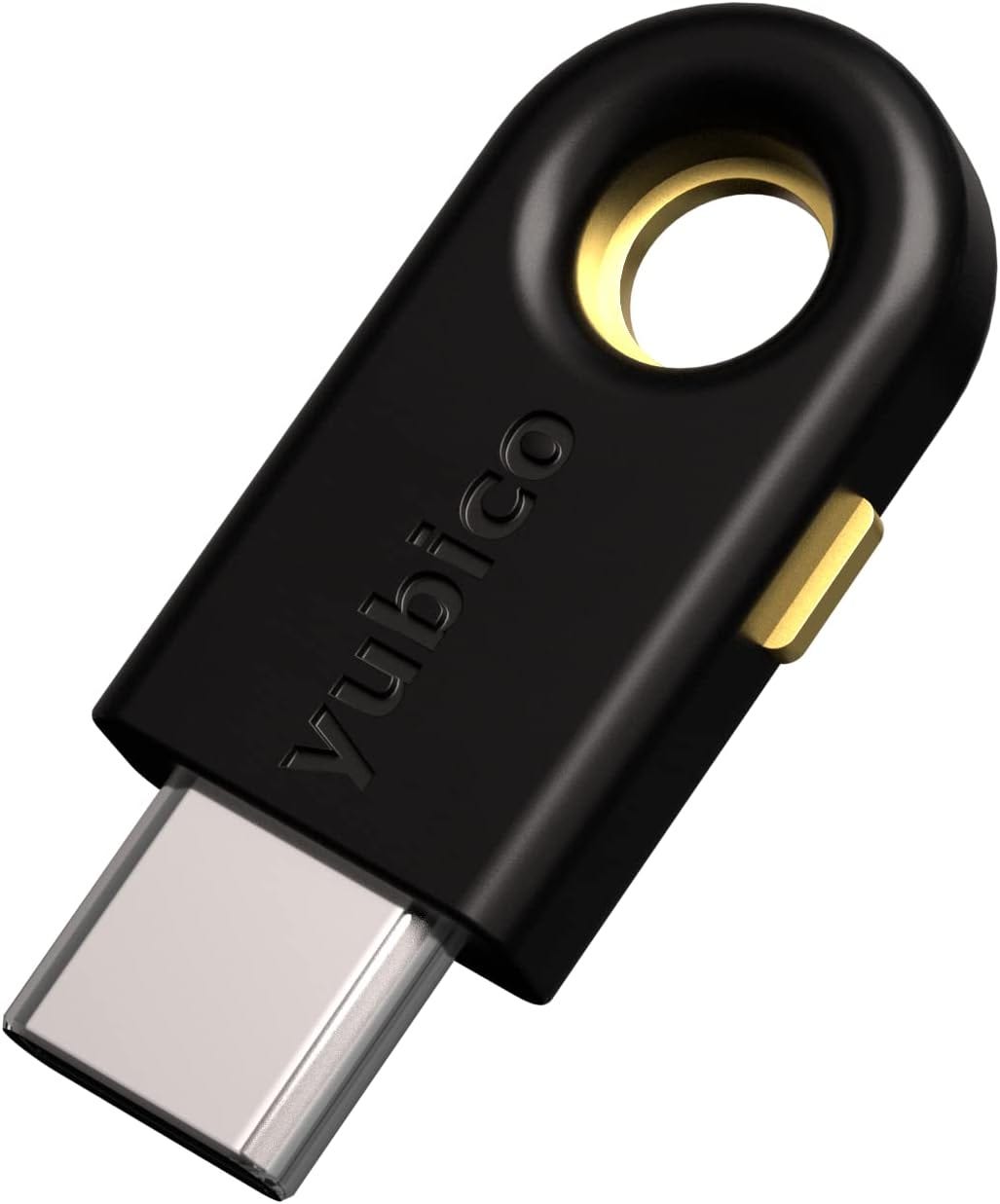
This is why Google Advanced Protection Program requires hardware security keys for enrollment. They represent the only authentication method that cannot be compromised by credential theft or session hijacking. You can also consider purchasing Google’s own hardware key, the Titan Security Key.
The Big Picture
This probably wasn’t a targeted attack against me specifically. I happened to end up on a list that was possibly scraped from LinkedIn, a data broker, or a prior breach. The attack landed in my inbox, not because of sophisticated zero-day exploits or advanced persistent threat techniques, but because it exploited the gap between what email authentication can verify (sender identity) and what users need to know (sender intent).
PhaaS has industrialized cybercrime. What I experienced wasn't built by a lone hacker. It was rented from Tycoon 2FA for probably less than $500/month.
The attacker didn't need to know how TR-069 exploits work, how to bypass Google Advanced Protection Program, or how to build AitM infrastructure. They just logged into a dashboard, selected “HR Policy Campaign,” uploaded a target list, and clicked “Launch.”
The person in Cape Town whose router was used to send the email and the US- and Canada-based office workers shown in the stolen email exchanges used as decoys have no clue they’ve been made unwitting parts of a cybercrime operation. If just one wire transfer fraud succeeds, those who deployed the campaign stand to profit handsomely.
This is modern phishing: anonymized, industrialized, globally distributed, and profitable enough to sustain professional criminal organizations.
This publication runs on reader subscriptions. If this analysis demonstrated value, please consider becoming a paid subscriber to help my research reach more people.
Always learn something new and useful in every article you publish. Thanks
Just one question though:
If these tools are able to locate and count how many compromised routers are being exploited, what ISPs are involved, and what their geographical locations are, shouldn't these ISPs themselves be able to easily determine and potentially fix those exploits?
Just curious